The SB200 allows users to customize shifter behavior through the Stages Cycling app. By default, it includes Dream Drive, SRAM, and Shimano profiles, with the option to further customize individual profiles to suit specific preferences.
Customizing an SB200 profile in the Stages Cycling app
- Open the Stages Cycling app and connect to the SB200.

- Select the Settings tab.
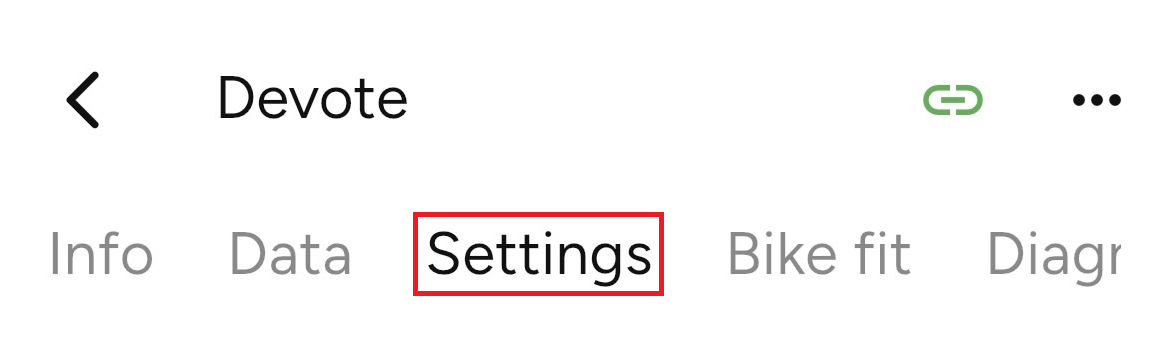
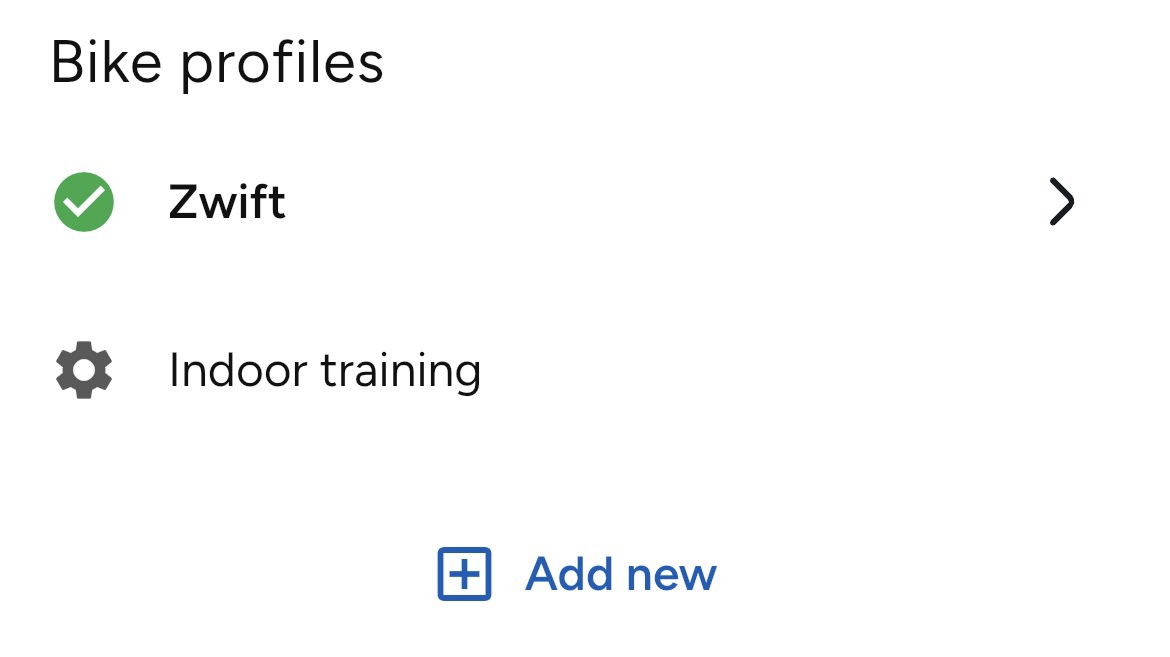
- Under Bike profiles, select the profile you want to edit or choose Add new to create a new one. The currently active profile is indicated by a green checkmark.
- Inside this menu are options, including:
- Shifting Configuration - Choose from three default shifting configurations:
- Shimano
- SRAM AXS
- Dream drive
- Multi-shift - Allows continuous shifting if shifters are pressed and held.
- Shifting customization - Allows you to change the behavior of the shifter buttons to fit your exact preference. If this is disabled, your bike will use the default Shifting configuration controls.
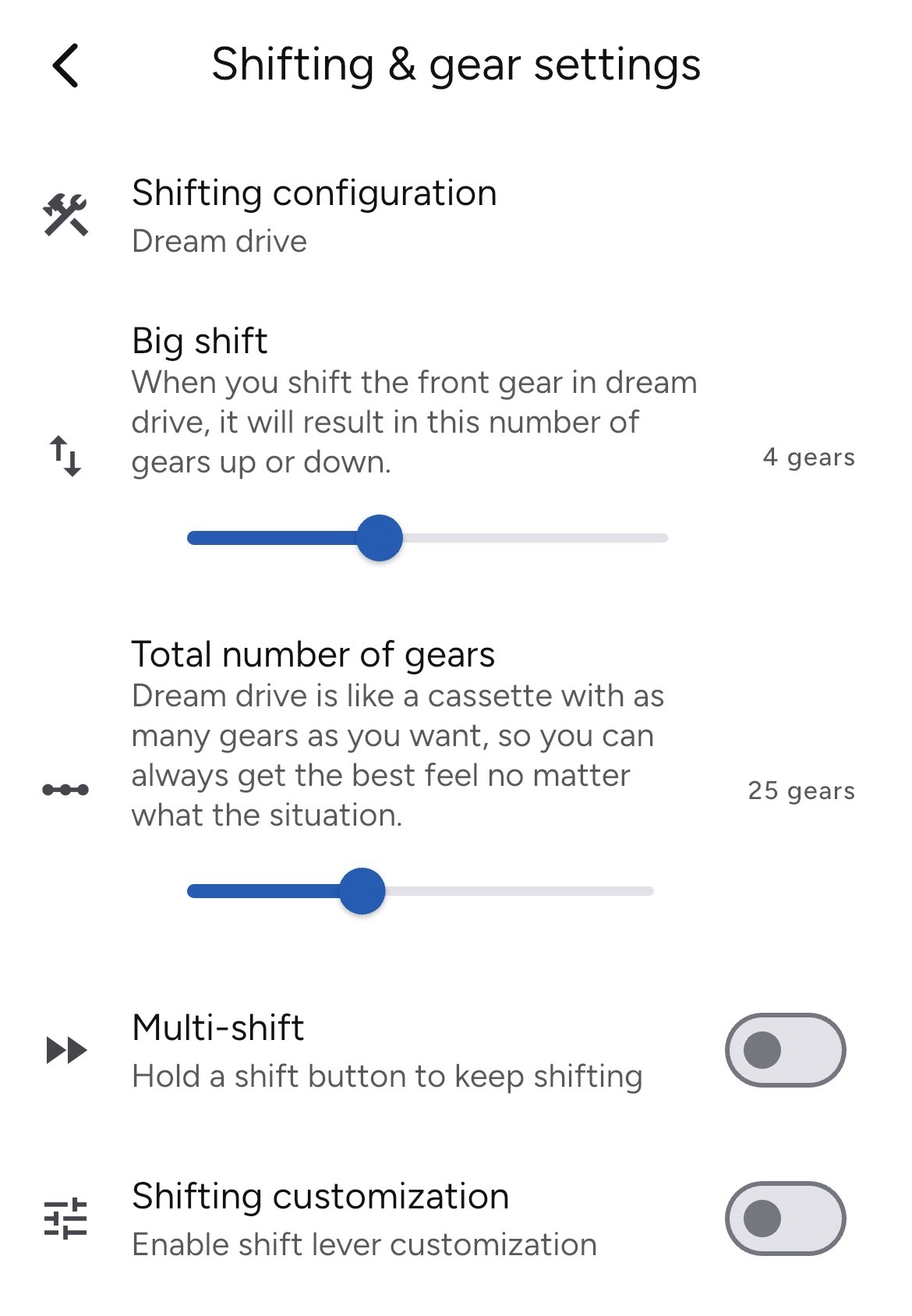
- Shifting Configuration - Choose from three default shifting configurations:
Shifting Configuration default controls
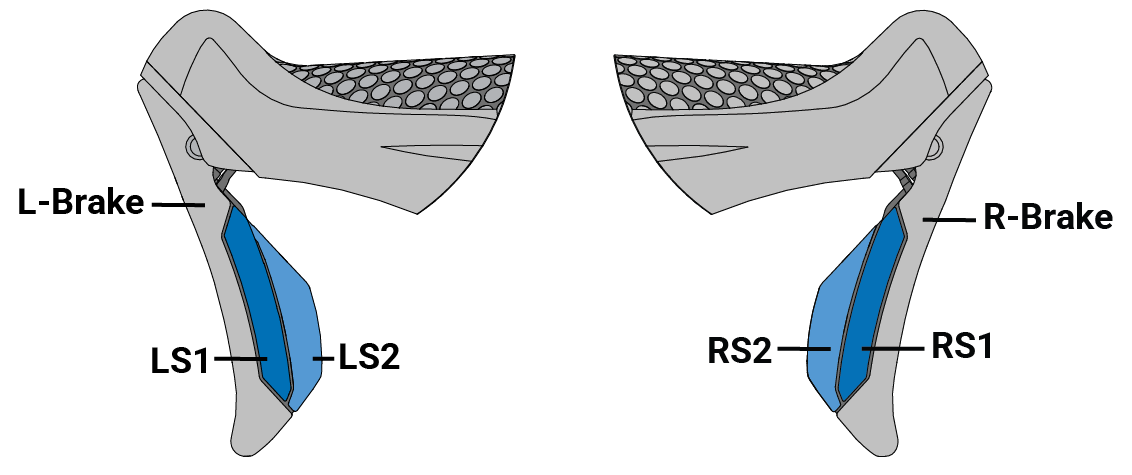
| Shift lever | Shimano | SRAM AXS | Dream drive |
| LS1 | Front gear harder | Rear gear harder | Big shift easier |
| LS2 | Front gear easier | Small shift easier | |
| RS1 | Rear gear easier | Rear gear easier | Big shift harder |
| RS2 | Rear gear harder | Small shift harder | |
| LS1 + RS1 | -- | Toggle front gear | -- |
| LS2 + RS2 |
Was this article helpful?
That’s Great!
Thank you for your feedback
Sorry! We couldn't be helpful
Thank you for your feedback
Feedback sent
We appreciate your effort and will try to fix the article