If you experience a momentary loss of resistance while riding your SB200, that indicates that the non-drive side belt is slipping and will need to be tensioned. This will also produce error code 2.
Procedure
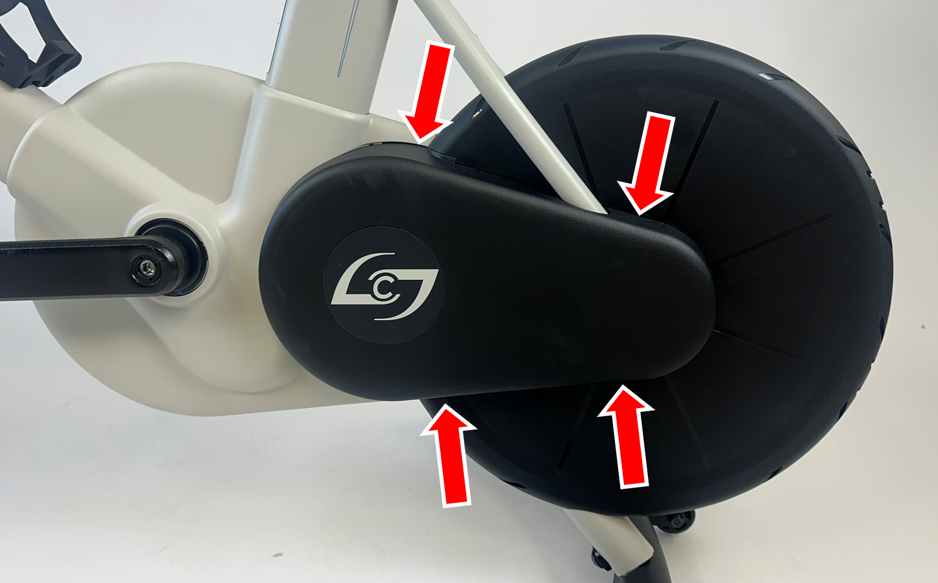
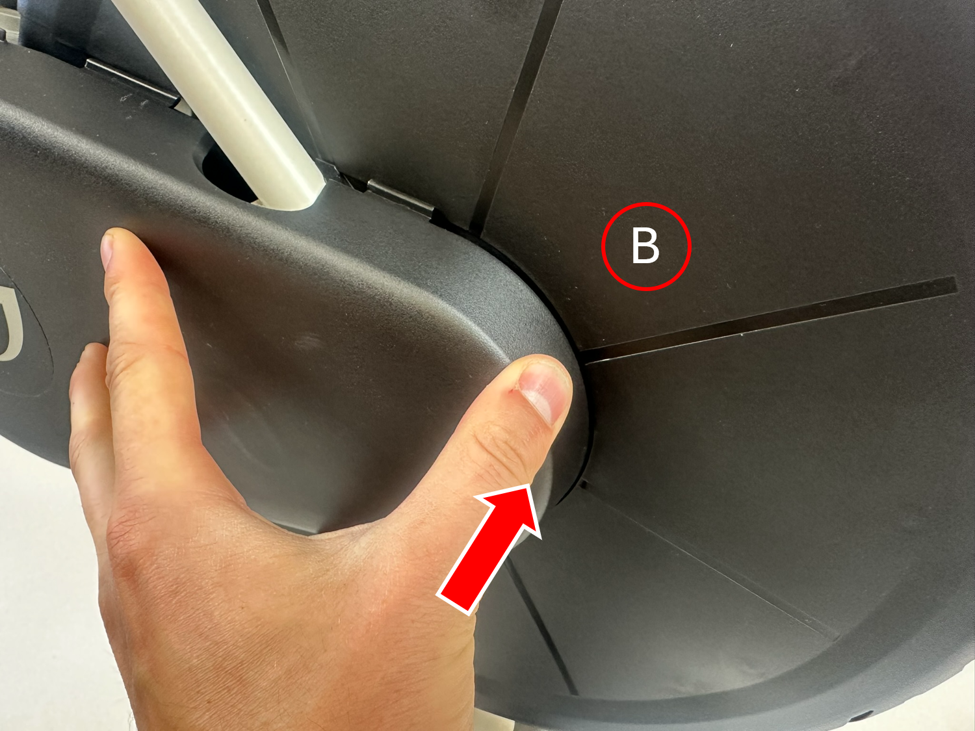
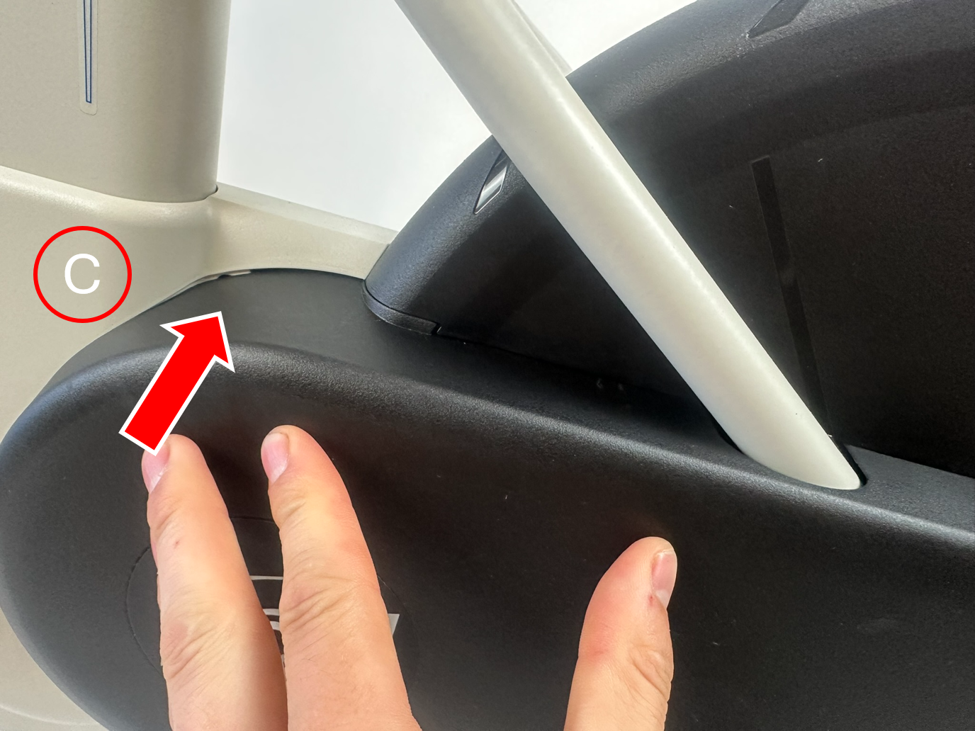
- Remove the cover on the non-drive side of the bike by pinching the top and bottom faces of the cover while pulling away from the bike.
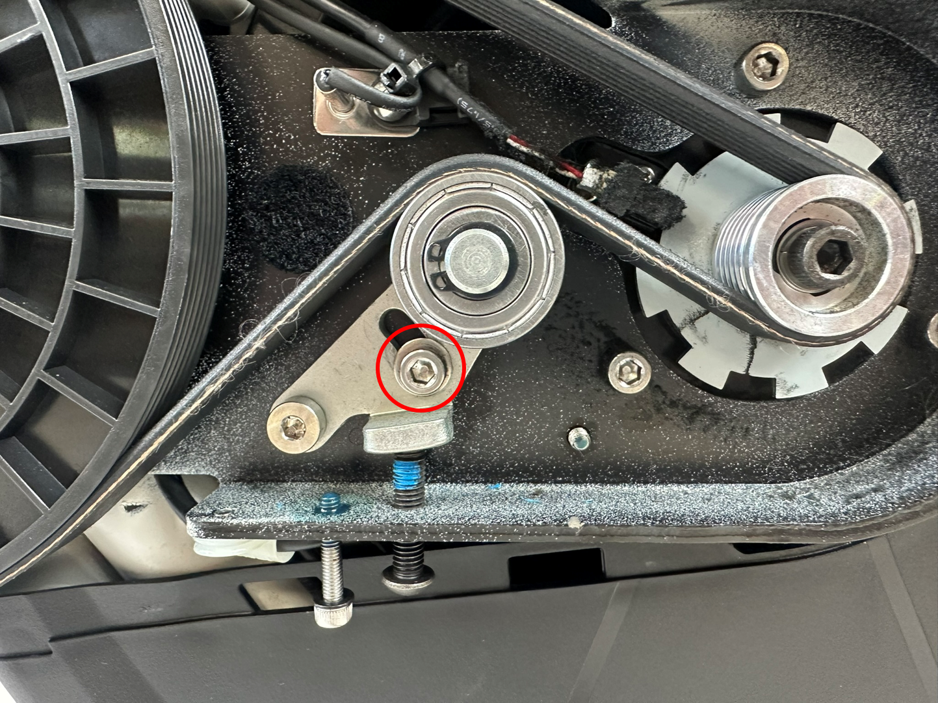
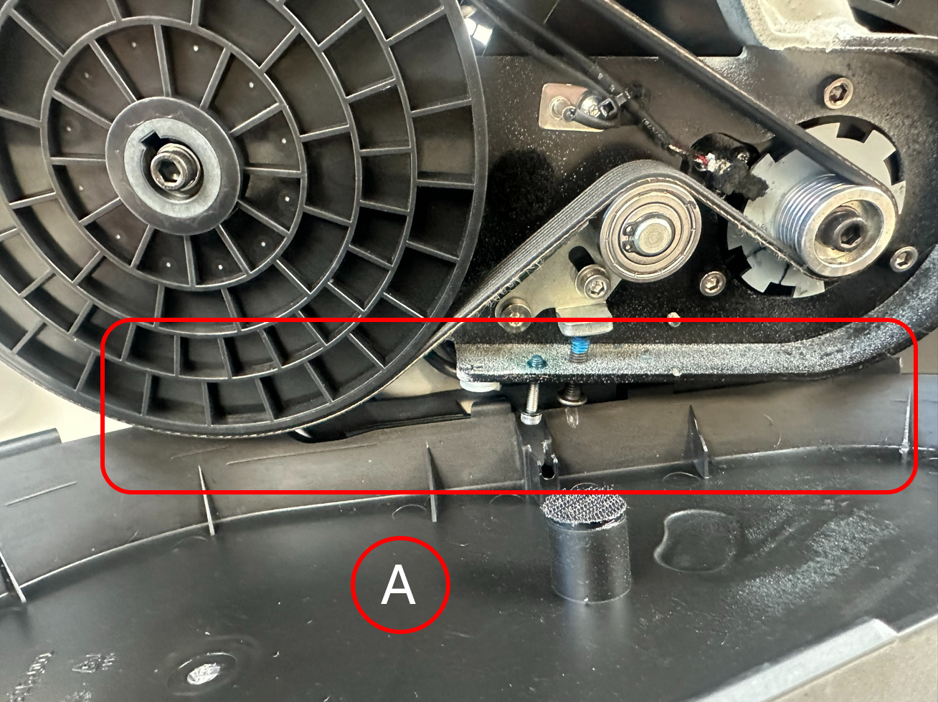
- With a 4 mm hex wrench, loosen (do not remove) the screw on the tensioner bracket to allow the belt to be tensioned.
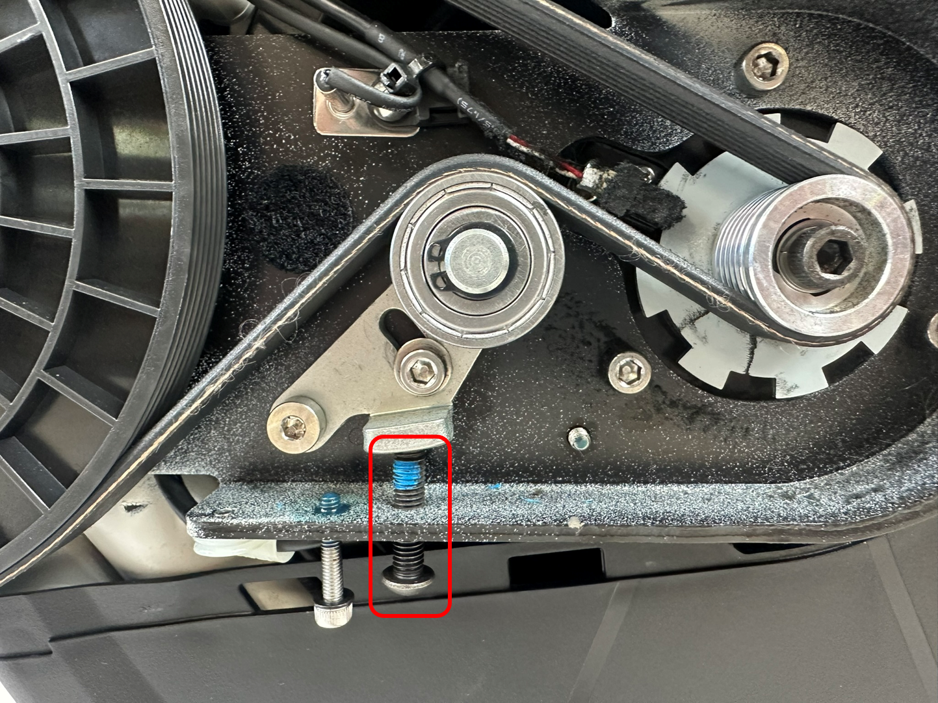
- With a 4 mm hex wrench, tighten the tensioner screw by one full turn (two half-turns). This tensioner screw is accessible from underneath; the tensioner bracket will raise slightly as the tensioner screw is tightened.
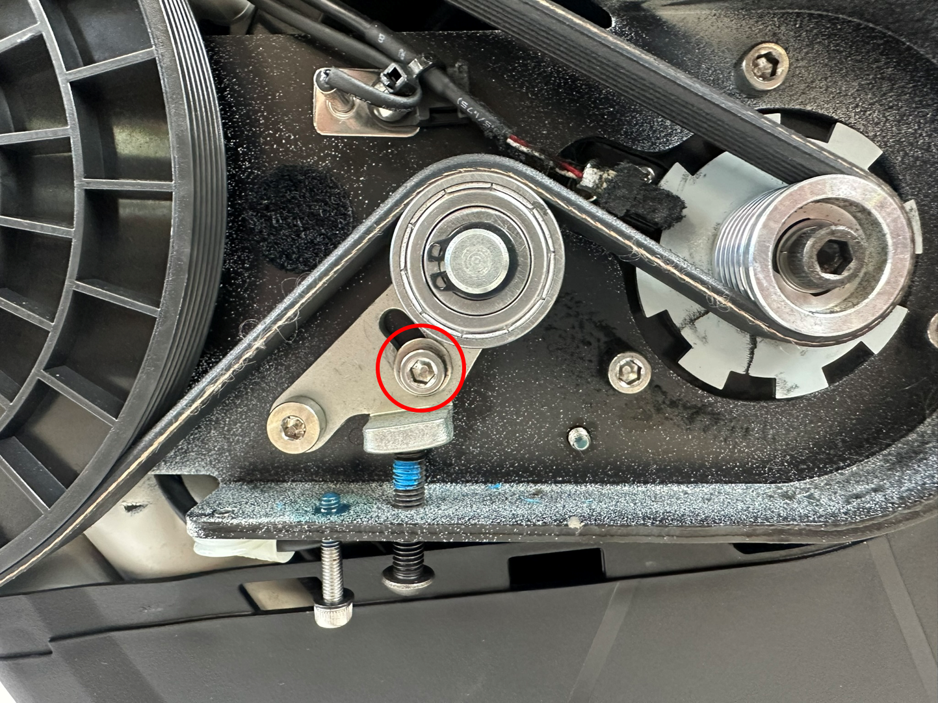
- With a 4 mm hex wrench, tighten the screw on the tensioner bracket.
- Install the non-driveside cover by aligning the tabs while pushing into the bike. For best practice, align the 4 tabs along the bottom edge of the cover first. The containment screw will also need to align with the bottom edge of the cover. Next, work counter-clockwise to align and insert the tabs at the rear of the bike. Finally, apply pressure to insert the tabs along the top edge of the cover. Check around the edges of the cover to confirm all tabs are fully inserted.
- Complete a Spindown in the Stages Cycling app.
Was this article helpful?
That’s Great!
Thank you for your feedback
Sorry! We couldn't be helpful
Thank you for your feedback
Feedback sent
We appreciate your effort and will try to fix the article